

For longevity and functional-health practices

Make every visit build on the last.

Review the reports, wearable trends and symptom notes your clients choose to share. Prepare for each visit with their history, bookings and documents in one workspace.

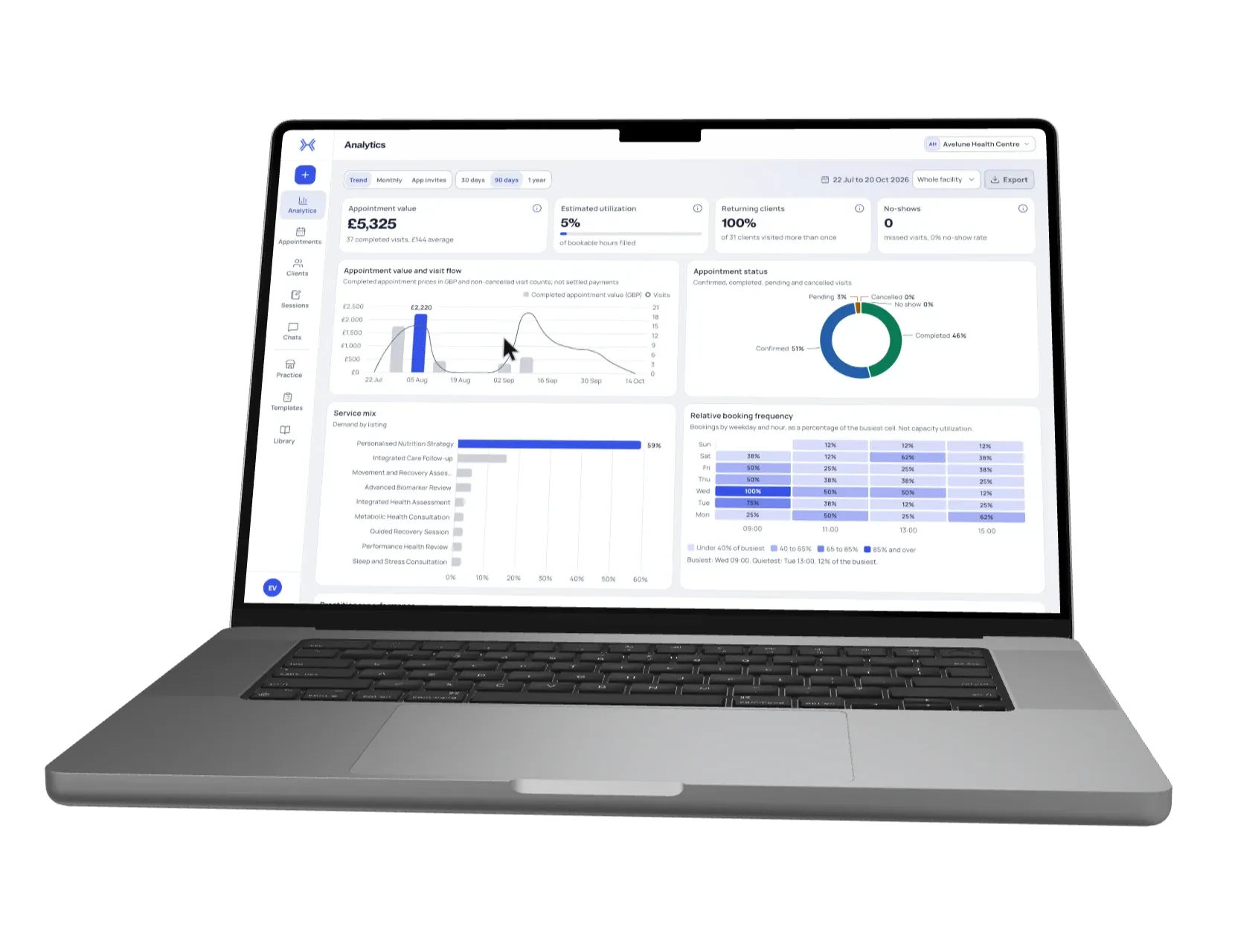
xHeal Provider Workspace analytics for a demonstration clinic: appointment value, utilisation, returning clients, no-shows and visit trends.
Book a Demo

Clients build their health picture in the xHeal app. Your team reviews the information they choose to share.

  • HIPAA compliant
  • GDPR compliant
  • SOC 2 compliant
Read the Privacy Policy →

Add to your client's health record.

Send results, care plans, recommendations and measurements from your practice to their xHeal app.

Results & clinical records

  • Lab results
  • Imaging reports
  • Consultation summaries

Care plans & recommendations

  • Care plans
  • Treatment instructions
  • Referrals

Medications & supplements

  • Prescriptions
  • Medication updates
  • Supplement recommendations

Measurements & goals

  • Vitals
  • Body measurements
  • Goals & intent

See what happened since the last visit.

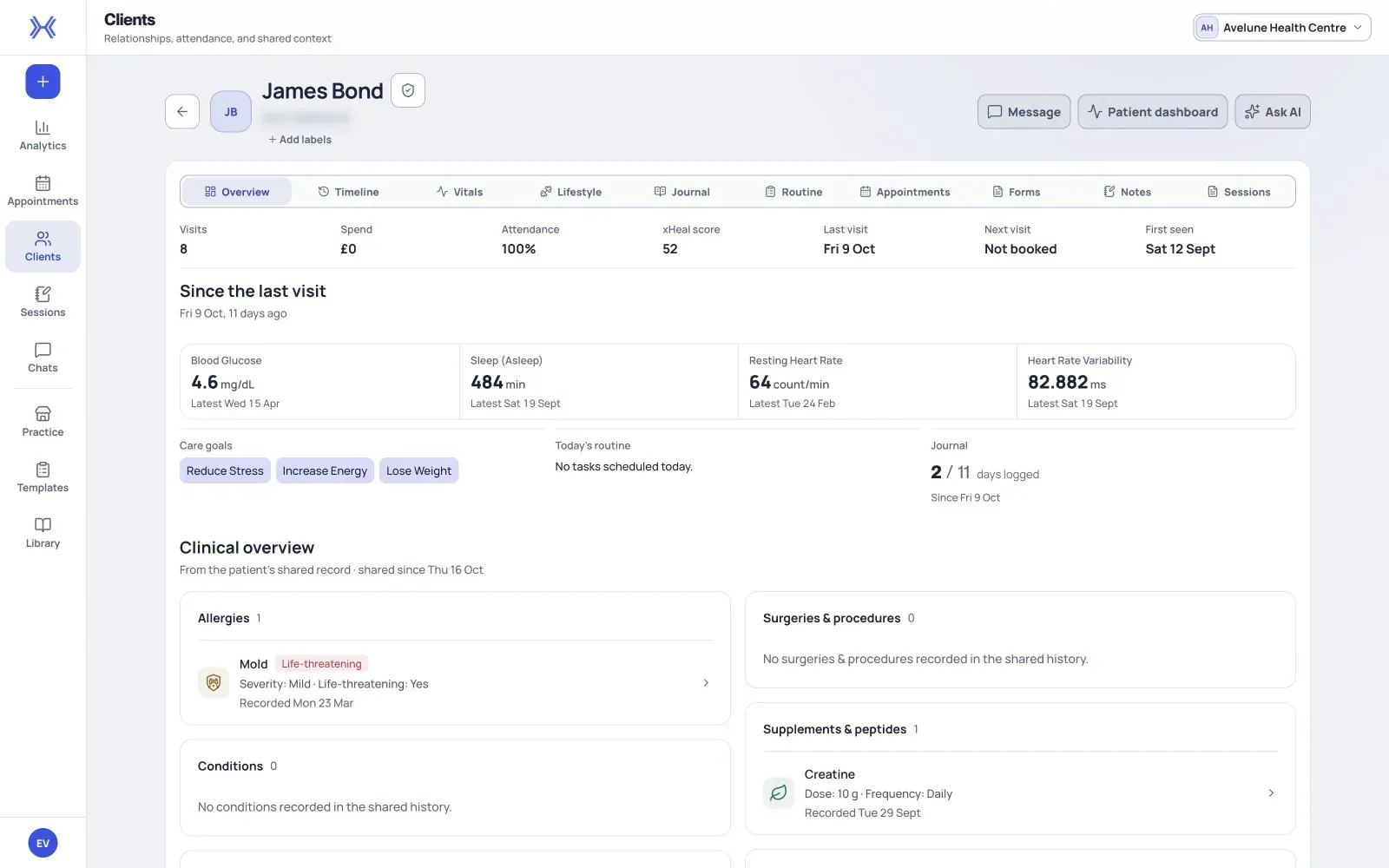
A client's record shows how their sleep, vitals, journal and routine have changed since you last saw them, so you start each visit knowing where things stand.

A walkthrough of a client record in xHeal Provider Workspace: key measures since the last visit, then the shared clinical overview, timeline, vitals, journal and daily routine.
Inside Provider Workspace: key measures since the last visit, then the timeline, vitals, journal and routine behind them.Example workspace. Demonstration data.
  • Analytics

    Review bookings, revenue, capacity and no-shows.

  • Services

    Make your practice's services available for booking in xHeal.

  • Appointments

    Follow bookings from confirmation through completion.

  • Clients

    Review the records, trends and notes each client has chosen to share.

  • Documents

    Keep relevant reports and files with the client's profile.

  • Intent

    Keep each client's goals and priorities in view as you prepare for their visit.

From booking to a better-prepared visit.

Clients bring their everyday health information into xHeal. Your practice reviews the context they choose to share.

  1. Give clients a way to book.

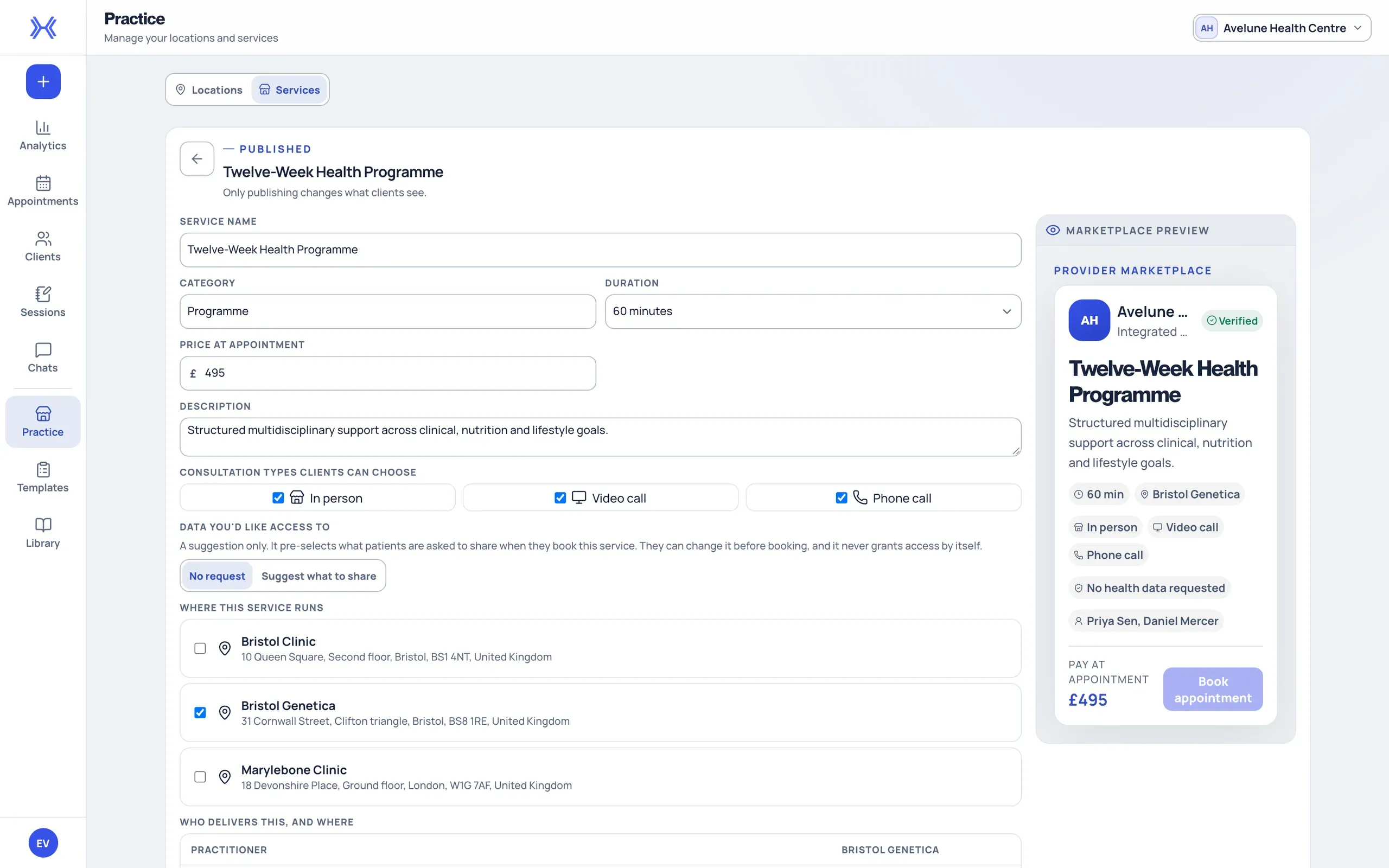
    Publish your services so clients can choose their next appointment in xHeal.

    A service in xHeal Provider Workspace with its duration, price and location, beside a preview of how clients see the listing.
  2. Let them choose whether to share.

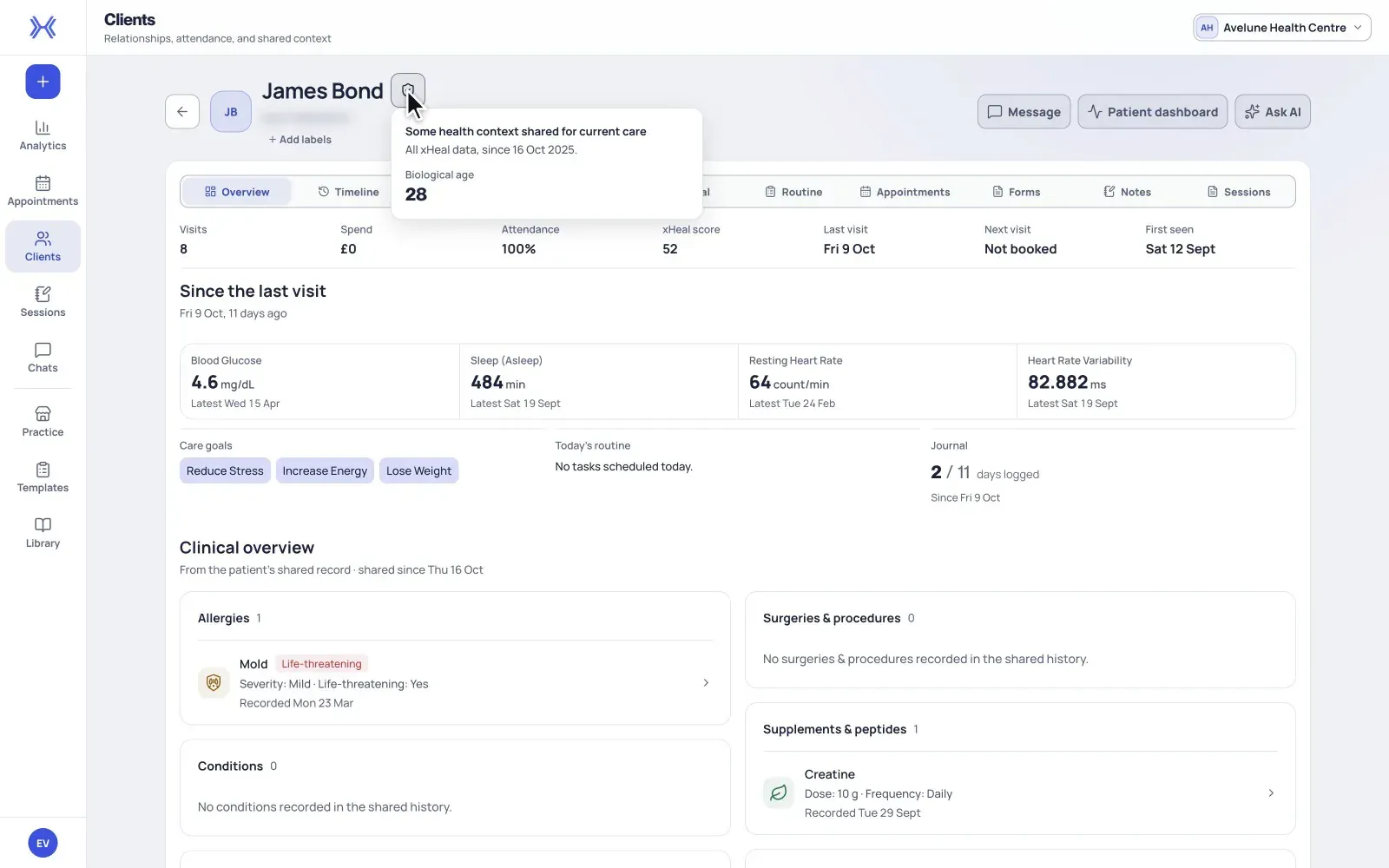
    When they book, clients choose what to share from xHeal — vitals, lab results, their health timeline, documents, journal or routine — and from which date. Your team sees exactly what they made available.

    In xHeal Provider Workspace, a client marked Partial in the client list; their record shows they shared all xHeal data, from a set date.
  3. Prepare with the records in view.

    Review the shared history before you meet. Keep relevant reports with the client's profile for future reference.

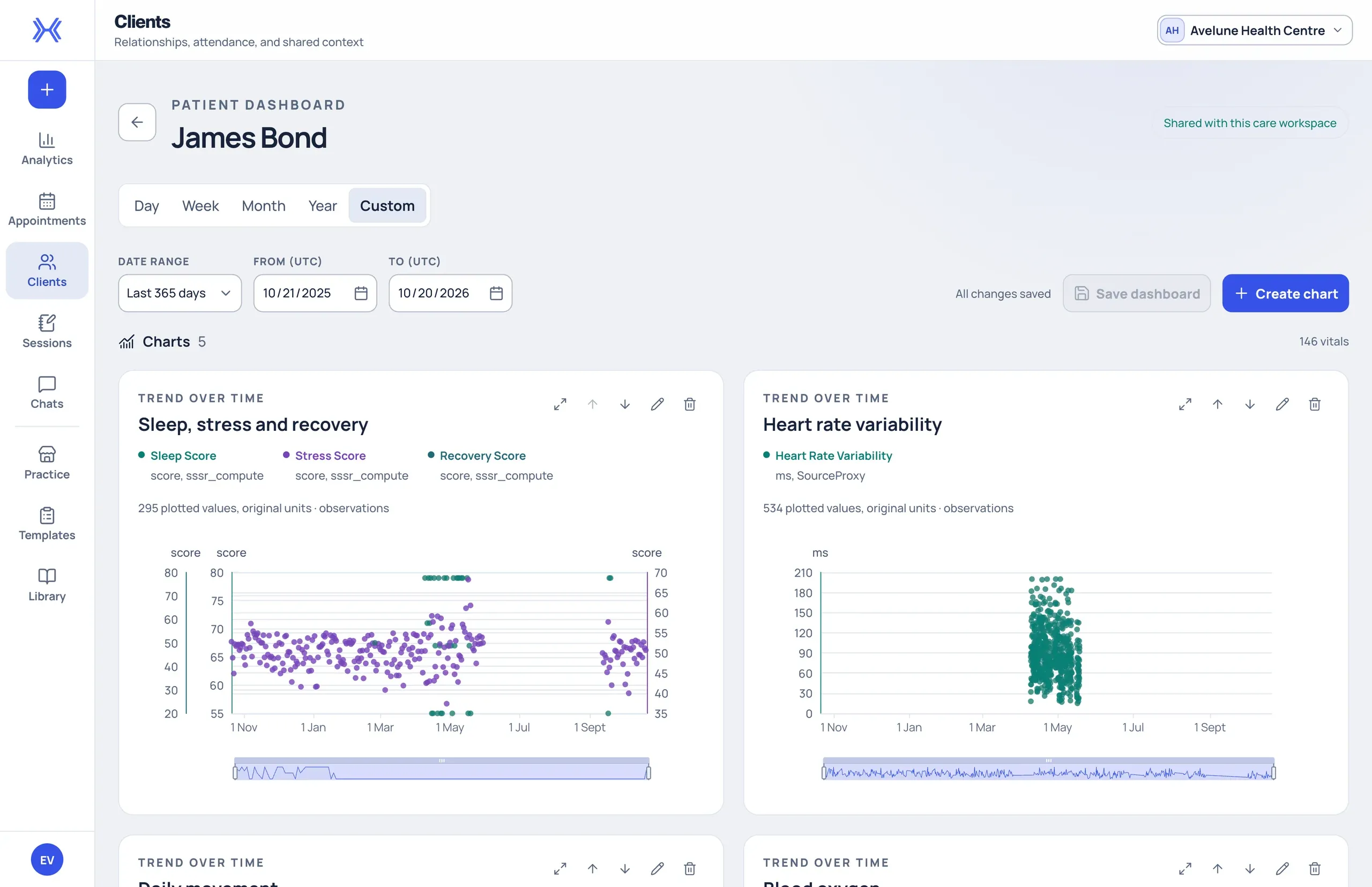
    A patient dashboard in xHeal Provider Workspace charting the client's sleep, stress and recovery scores, heart rate variability and daily movement.

Between visits

Ask about a client. Reply to them in the same place.

xHeal AI answers questions from the health context a client has shared and shows its sources. Messages keep your conversations with clients next to their records.

  • xHeal AI

    Ask about a client's trends or your whole panel. Each answer lists the records it used, so you can check them before you act.

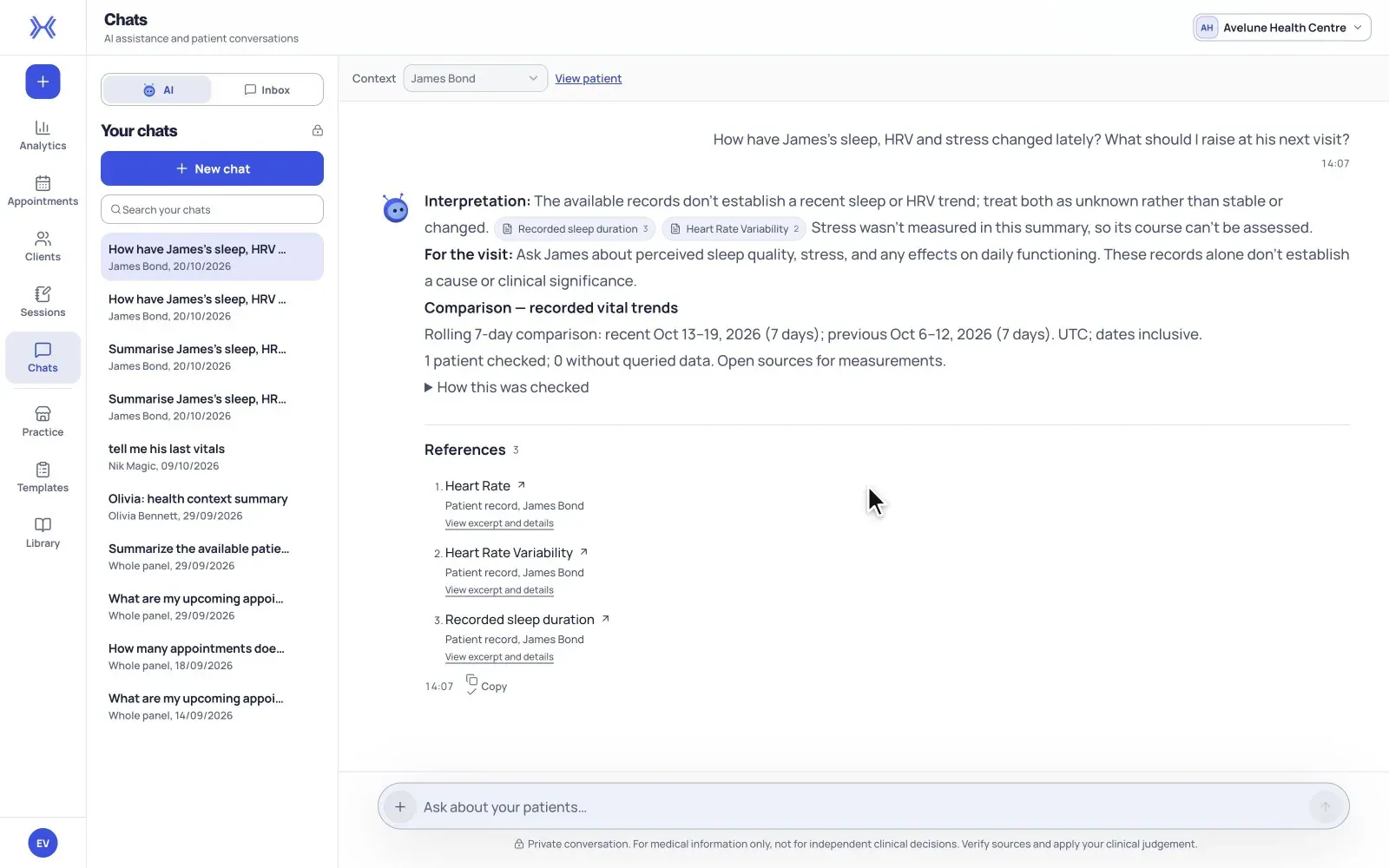
    A practitioner chooses a client, asks xHeal AI about their sleep, heart rate variability and stress, and reads the answer and its sources.
  • Messages

    Reply to clients from the workspace, with the conversation history in view.

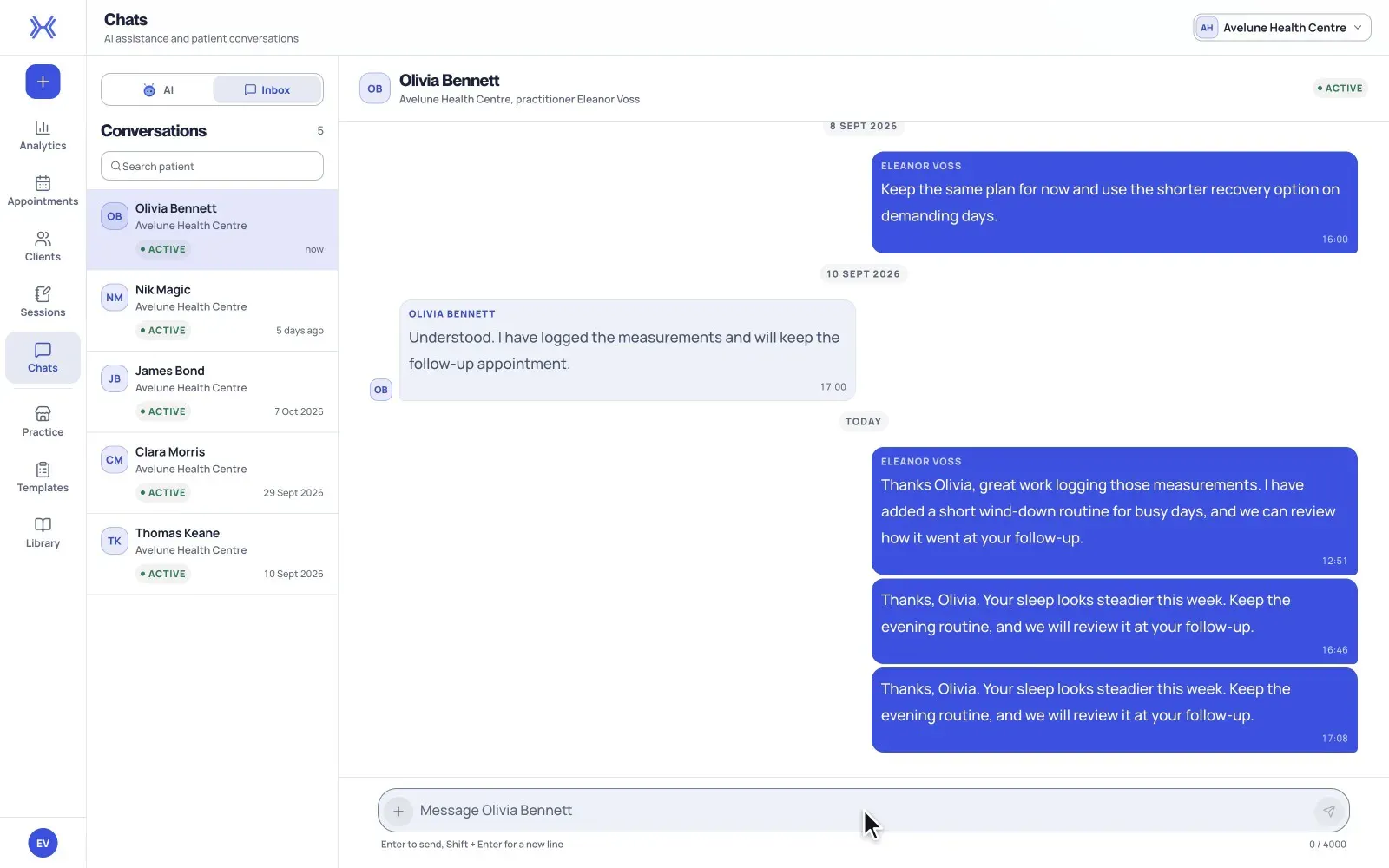
    A practitioner opens a client conversation in Provider Workspace messages, types a reply and sends it.

xHeal AI supports your preparation. It does not make clinical decisions; verify sources and apply your own judgement.

Pricing

Choose who pays for access.

Clients subscribe, or you include xHeal in your programme.

Clients pay xHeal

Partner

For clinics and coaches.

Client plans (USD)

Premium
$12.99/month
Ultra
$249/year

Clients need a paid plan to connect.

Earn 30% of subscription fees.

For paying clients connected to you who log in at least once in the calendar month.

Annual-plan payouts follow your agreement.

xHeal handles billing, onboarding and support.

Keep 70% of your Marketplace service sales.

Paid to the selling professional. xHeal takes 30% commission.

Product-sale terms agreed separately.

Book a Demo

Your practice pays xHeal

Enterprise

Include xHeal in your own programme.

Pay per seat
Custom pricing

Based on your seats and setup.

You set the price.

Bill clients for your programme. Pay xHeal per seat.

Your quote defines seats, features and support.

No subscription revenue share.

Keep 70% of your Marketplace service sales.

Paid to the selling professional. xHeal takes 30% commission.

Product-sale terms agreed separately.

Book a Demo

Your brand, powered by xHeal

your-brand.xheal.ai on both models.

Optional white-label. Setup fee applies.

Book a Demo

See xHeal in action and discuss your practice's needs.

We'll contact you to arrange a time.

Prefer email? support@xheal.ai

Questions

A few things to know before we talk.

Who is Provider Workspace for?

Practices with repeat appointments, especially longevity and functional-health teams that review records, trends and symptom histories between visits.

Do my clients need the xHeal app?

Clients use the app to build and share their health picture. Your practice can use services, appointments and documents whether or not a client shares health information.

What can my team see?

Your team can access health information when the client has granted access through xHeal. Appointment details and permission to view health records are handled separately.

How does this fit with our current software?

Use Provider Workspace for services, bookings, documents and shared health information alongside your clinical record system. We'll discuss your current tools and setup needs during the demo.

What does it cost?

Partner clients pay xHeal $12.99/month for Premium or $249/year for Ultra (USD). With Enterprise, your practice pays a custom per-seat price. See the pricing section for revenue shares and setup fees.