What to Bring to a Specialist Appointment


This is an editorial preparation guide from the xHeal team. Start by asking your specialist's practice which records it needs and how to send them. The following list can help you gather your own history.
Five useful starting points for appointment preparation
1. A medication list that's actually current
Bring names, doses and schedules for current medications, including over-the-counter products and supplements. Note recent changes and questions about how to take them. Ask your pharmacist if you need help making the list accurate.
2. Lab results with context, not just numbers
Keep the original reports, dates, units and reference ranges. A chronological summary can introduce a change, while the source document lets your specialist check the details.
3. Symptom patterns, not symptom lists
Describe when symptoms began, how often they occur, their impact and anything you noticed around the same time. Make clear which dates are exact and which are approximate. A suspected association is worth discussing without assuming a cause.
4. A clear question
Write down what you most want to understand or decide. Put that question first and keep a short list of other concerns you want to cover.
5. Records from other providers
Ask which previous reports, referral letters and imaging are relevant. Confirm whether the practice can access them already or needs you to arrange a transfer. Keep a list of the records you have requested.
Bring a summary and keep the originals
You do not need a perfect archive before an appointment. Start with what you have, identify gaps and ask the practice for help with missing records. Preparation can support the conversation without guaranteeing a faster diagnosis or a particular outcome.
See the illustrative health-summary workflow and the doctor appointment checklist. Ask how your practice prefers to receive a report before sending it.
Frequently asked questions
What should I bring to a specialist appointment?
Ask the practice which records it needs. A useful starting list is current medications and supplements, relevant source reports, dated symptoms, your main question and records from other providers.
How do I make the most of a short specialist appointment?
Lead with your primary question or concern in the first two minutes: this immediately focuses the visit. Bring organized written notes rather than relying on memory; your specialist can scan a one-page summary far faster than gathering information verbally. If you have wearable data (HRV trends, sleep data, activity patterns), having it summarized rather than raw makes it usable. Finally, end the visit by confirming the next step: what should happen before your next appointment, and by when.
Do I need all my records before an appointment?
Start with what you have and tell the practice which records are missing. Ask what is needed for the visit and how to request it. A summary can help introduce your history, but the source records may still be needed.
Medical disclaimer: This content is for informational purposes only and does not constitute medical advice. Always consult your healthcare provider before making changes to your health routine, medications, or treatment plan. xHeal is a health tracking and awareness tool, not a diagnostic or treatment platform.
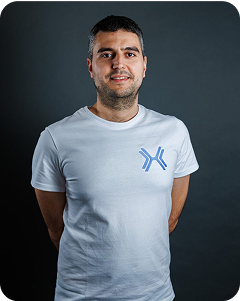
CEO and co-founder of xHeal. His four-year search for answers about his own health led him to build a clearer way to connect health records, wearable trends and everyday observations. He writes from his experience as a founder and xHeal user.
View full bio →Keep reading

How to Prepare for a Doctor Appointment: The Complete Cheat Sheet
Prepare a focused health summary, current medication list and the questions you want to cover. A practical checklist for your next doctor appointment.
Trifon GetsovFeb 02, 2026
How to Organize Medical Records from Multiple Hospitals: A Complete Guide
After moving states twice and visiting multiple specialists, my medical history was scattered across four hospitals. Here's how I got it all in one place in under 10 minutes.
Trifon GetsovFeb 04, 2026
xHeal v2 Launches on iOS in the EU and US
The new xHeal experience brings your daily Snapshot, routines, Timeline, chat, reports, nutrition, workouts, and mindfulness into one iOS app.
 xHeal TeamJul 20, 2026


