Trifon Getsov · xHeal co-founder
A lab result worth following up
Trifon describes his own health journey, the information he reviewed and the questions it raised.
Read Trifon's account →

Check current features and plan terms in the app.
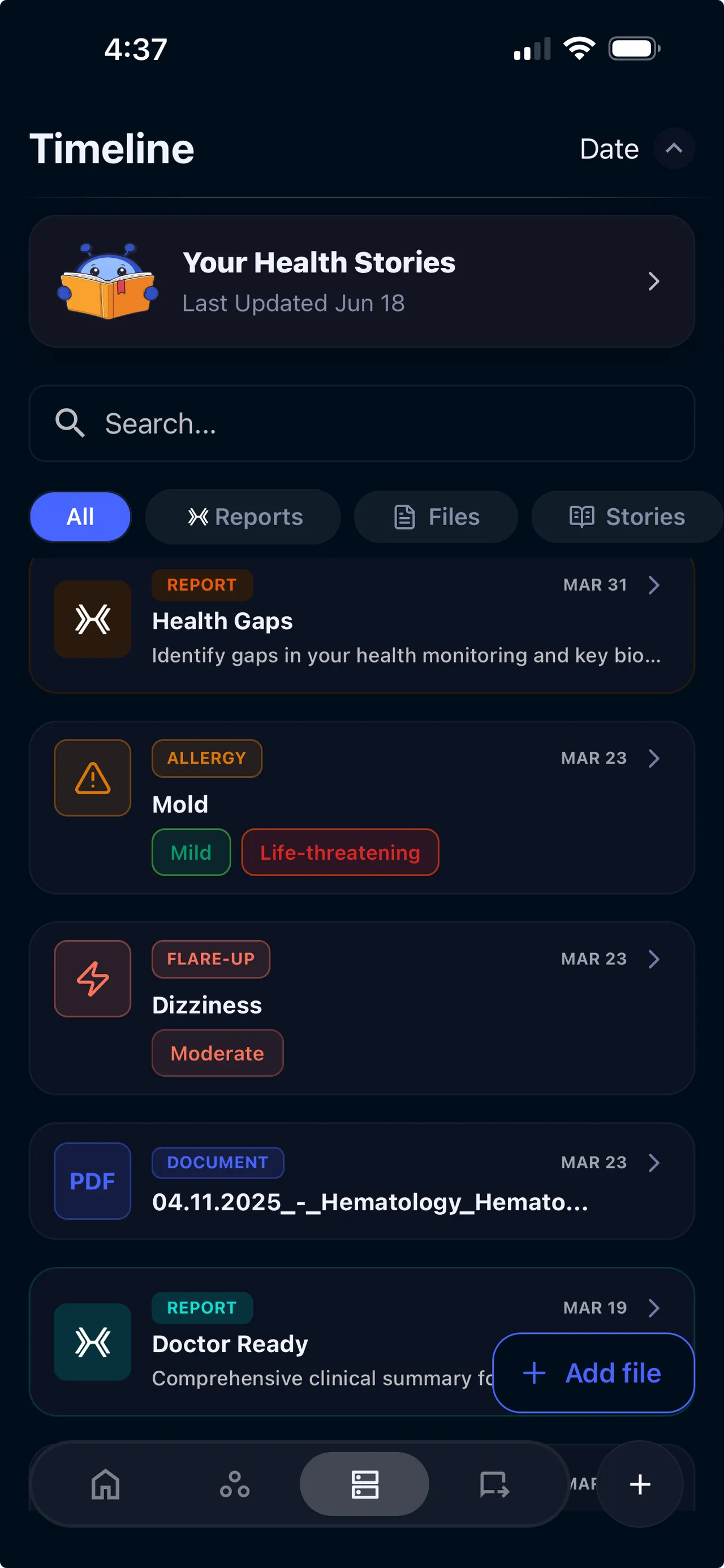
Your GP, specialist and hospital may each hold different records. Bringing the files together makes it easier to review your history before a visit.
You remember a blood test from six months ago, but not which clinic or portal holds it. Finding one result can mean searching several places.
Individual test results are snapshots. Without a timeline, you can’t see how your markers have changed over months or years, and neither can your care team.
Upload a PDF or photo of a report. Review the extracted information alongside the original document before adding more records.
The records and results you add appear by date, alongside your wearable trends and everyday notes.
Search the records you've added, compare dated results and ask your Digital Twin about the information available in your profile.
Search the reports and clinical documents you've added, then open the original source to check the details.
See your lab markers plotted on a timeline. Track cholesterol, thyroid, iron, glucose, and more across months or years.
Go back to any point in your timeline and see everything that was happening: symptoms, meds, lifestyle changes, lab results.
Prepare a summary from the records you've added so a new provider can review the history relevant to your visit.
xHeal tracks when your last screenings and tests occurred and highlights what’s overdue based on your age and profile.
See how lab results, wearable data, symptom logs, and lifestyle inputs connect on one unified timeline.
Start with a document you already have, then check how it appears in your timeline.
Choose a readable report and upload it from the document flow in your app.
Compare the date, values and units with the original document. Keep the source available for review.
Locate the record in your timeline and use its context when preparing your next question or report.
Trifon Getsov · xHeal co-founder
Trifon describes his own health journey, the information he reviewed and the questions it raised.
Read Trifon's account →Kalin Stoev · xHeal Head of Engineering
Kalin shares how he organized his headache history and followed up with a professional.
Read Kalin's account →xHeal team · Product walkthrough
Explore the steps for adding information, reviewing it and preparing for your next appointment.
See the product walkthrough →First-person accounts and product examples. Individual experiences do not establish clinical effectiveness or predict another person’s results.
Check dates, values and units against your original records. Extraction and AI explanations can contain mistakes.
Use the controls in your app or contact support about access, exports and deletion. The Privacy Policy explains retention requirements and exceptions.
xHeal uses service providers for functions such as storage and processing. The Privacy Policy explains these uses; access for a clinic requires a separate sharing choice.
Use the timeline to prepare a clear history and questions. A professional should interpret your records alongside their assessment.
PDFs of lab results, medical records, discharge summaries, imaging reports, and clinical documents. You can upload photos or connect directly to supported health systems.
xHeal uses AI to extract markers, values and dates from uploaded documents and organize them chronologically. Check the extracted information against the original report, including units and reference ranges.
Yes. Add records from different providers and review them together in one timeline.
Your records are stored in your xHeal account and processed using the service providers described in the Privacy Policy. Clinic sharing is your choice. The policy explains security measures, retention, access and deletion requests.
Yes. Generate a report from your timeline or share specific records directly from the app before your appointment.
Download xHeal to organize the records, results and notes you add in one timeline.
Check current features and plan terms in the app.