Trifon Getsov · xHeal co-founder
A lab result worth following up
Trifon describes his own health journey, the information he reviewed and the questions it raised.
Read Trifon's account →

Check current features and plan terms in the app.
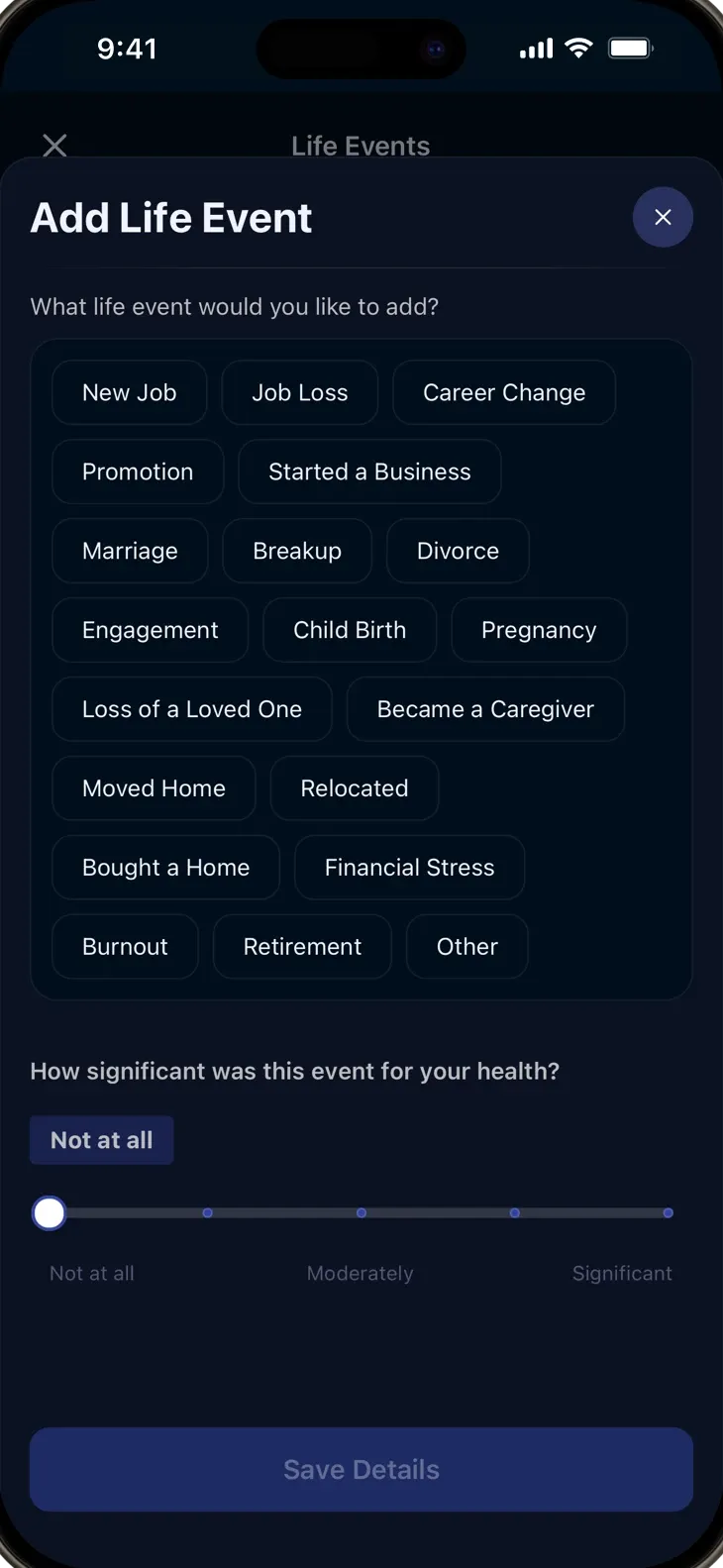
Started a new supplement? Changed your diet? Moved to a new city? These moments shape your health, but they’re invisible to your care team and easy to forget.
A supplement, a new routine and a different sleep schedule can overlap. Keep the dates together so you can discuss the possibilities without relying on memory.
When did you start that medication? When did you notice a new symptom? Dated notes make these details easier to bring to your care team.
Record medications, supplements, diet changes, symptoms and life events. Include the date and any details you want to remember.
Every log entry joins your wearable data, lab results, medical records, and symptom history on one unified timeline.
Compare logged changes with your health trends. An association is a question to explore, rather than proof that one change caused another.
Record when you start, stop or change a supplement and review that history beside relevant measurements and notes.
Keep start dates, dose changes and symptoms in a medication history you can return to before an appointment.
Log major life changes and see how they correlate with shifts in your sleep, mood, energy, and symptoms.
Every logged event becomes part of your health timeline. Generate a report that shows exactly what changed and when.
Review dated dietary changes beside symptoms and other trends over weeks and months. Discuss possible explanations with your care team.
Correlate medication changes with symptom logs to help your care team fine-tune your treatment.
Keep track of a change while it's fresh in your memory.
Record a medication, supplement, routine or life event in the relevant log.
Check the date and details so you can find the entry alongside later notes.
Compare the timeline with your symptoms and available trends when preparing for a visit.
Trifon Getsov · xHeal co-founder
Trifon describes his own health journey, the information he reviewed and the questions it raised.
Read Trifon's account →Kalin Stoev · xHeal Head of Engineering
Kalin shares how he organized his headache history and followed up with a professional.
Read Kalin's account →xHeal team · Product walkthrough
Explore the steps for adding information, reviewing it and preparing for your next appointment.
See the product walkthrough →First-person accounts and product examples. Individual experiences do not establish clinical effectiveness or predict another person’s results.
Medication and supplement logs are part of your xHeal account. The Privacy Policy describes storage and service-provider processing; clinic sharing is a separate choice.
Compare dated logs with symptoms and connected trends. An association does not establish that one change caused another.
Review the editing and deletion controls in your app or contact support. The Privacy Policy explains retention and exceptions.
xHeal does not sell your personal data. Read the Privacy Policy for the processing needed to provide its features.
Medications, supplements, dietary changes, exercise routines, life events (moves, job changes, relationship changes), symptoms, and anything else that might affect your health.
Every log entry is placed on your health timeline alongside wearable data, lab results, and symptom history. xHeal’s AI looks for correlations between logged events and changes in your health markers.
A consistent history gives you more context to compare, but there is no guaranteed time to a meaningful pattern. Check the dates and sources, and discuss possible explanations with your care team.
Yes. Your logged events become part of your health reports. Generate a timeline-based report for your next appointment.
Medication logs are processed and stored to provide xHeal's features. Clinic access requires your sharing choice. See the Privacy Policy for service providers, retention and your rights.
Download xHeal and bring dated notes into your health history.
Check current features and plan terms in the app.