Trifon Getsov · xHeal co-founder
A lab result worth following up
Trifon describes his own health journey, the information he reviewed and the questions it raised.
Read Trifon's account →

Check current features and plan terms in the app.
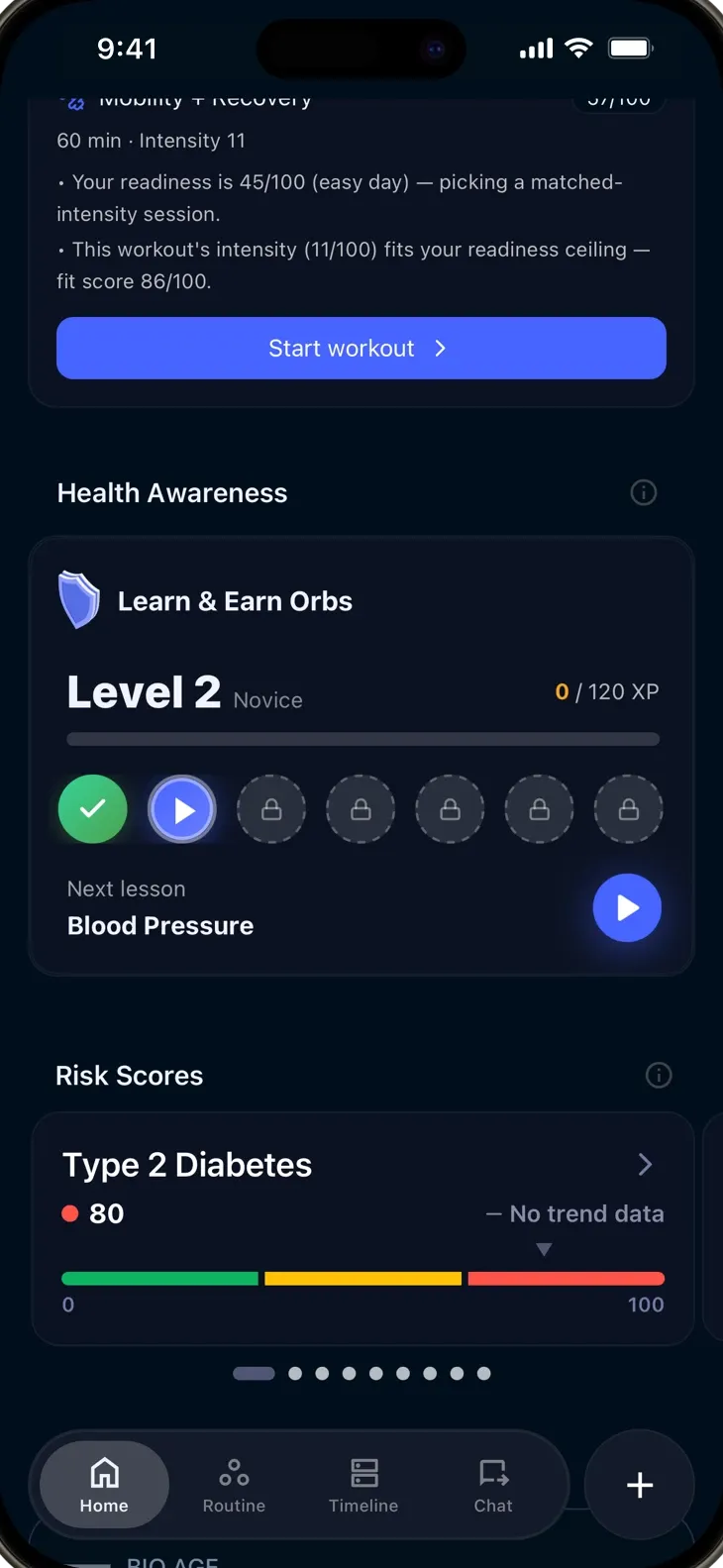
Your lab report, watch and daily notes each capture something different. Seeing them together can make it easier to understand what you know and what to ask next.
Appointments have limited time. Preparing your recent records and relevant changes helps you give your care team useful context.
A result or score on its own can be hard to interpret. Bring the source, date and explanation together before deciding what to ask next.
Import medical records, sync Apple Health, connect wearables, log symptoms and lifestyle data. xHeal brings it all into one secure place.
Review your records, daily notes and connected trends in one profile. See which information is available and where there are gaps.
Use the explanation in your app to understand each indicator. Awareness, data completeness and physiological health are different concepts.
Explore your records, connected trends and notes. Notice which sources are current and which information may be missing.
Choose a topic you want to understand, review the information available and prepare a focused question for your care team.
Look at changes in the measurements and notes you have recorded, with dates and source context.
Review sleep alongside stress, activity and daily notes. Possible associations are a starting point for questions, rather than proof of a cause.
Check for missing records or gaps in your tracking. Discuss whether additional information or testing would be useful with a professional.
Prepare one of xHeal's health summaries for your next appointment, or review the sharing choice with a connected provider in the app.
Understand the information behind an indicator before deciding what it means for you.
Check what the indicator represents in your version of the app.
Look at the sources, dates and information that may be missing.
Use what you've learned to prepare a topic for your next care conversation.
Trifon Getsov · xHeal co-founder
Trifon describes his own health journey, the information he reviewed and the questions it raised.
Read Trifon's account →Kalin Stoev · xHeal Head of Engineering
Kalin shares how he organized his headache history and followed up with a professional.
Read Kalin's account →xHeal team · Product walkthrough
Explore the steps for adding information, reviewing it and preparing for your next appointment.
See the product walkthrough →First-person accounts and product examples. Individual experiences do not establish clinical effectiveness or predict another person’s results.
Look at the records and trends behind an indicator and the explanation available in your app.
A wellness or learning indicator does not establish clinical health, disease risk or whether you need treatment.
Missing data, learning progress and changes in physiological measurements should be interpreted separately.
Your information is stored in your xHeal account and processed to provide its features. Clinic sharing is a separate choice. The Privacy Policy explains processing and retention.
Health Awareness helps you explore and understand your health information. Refer to the definition shown with an indicator in your app; do not read it as a clinical grade for your overall health.
Check the explanation beside the indicator in your app for its inputs and meaning. Learning progress, profile completeness and physiological measurements are not interchangeable scores.
No. Health Awareness supports learning and preparation for care conversations. It is not a clinical assessment or diagnosis.
Review the update information shown in your app. Source availability and activity determine what is available to interpret.
Read the indicator's explanation before drawing conclusions. A low awareness or completeness indicator does not itself mean that you are unwell.
Download xHeal to explore the records, trends and notes in your health picture.
Check current features and plan terms in the app.