Provider Workspace · Care programmes & follow-up
Keep care going between visits.
Plan dated programmes for clients connected to xHeal, collect structured answers with forms, and review what was completed before you meet again.
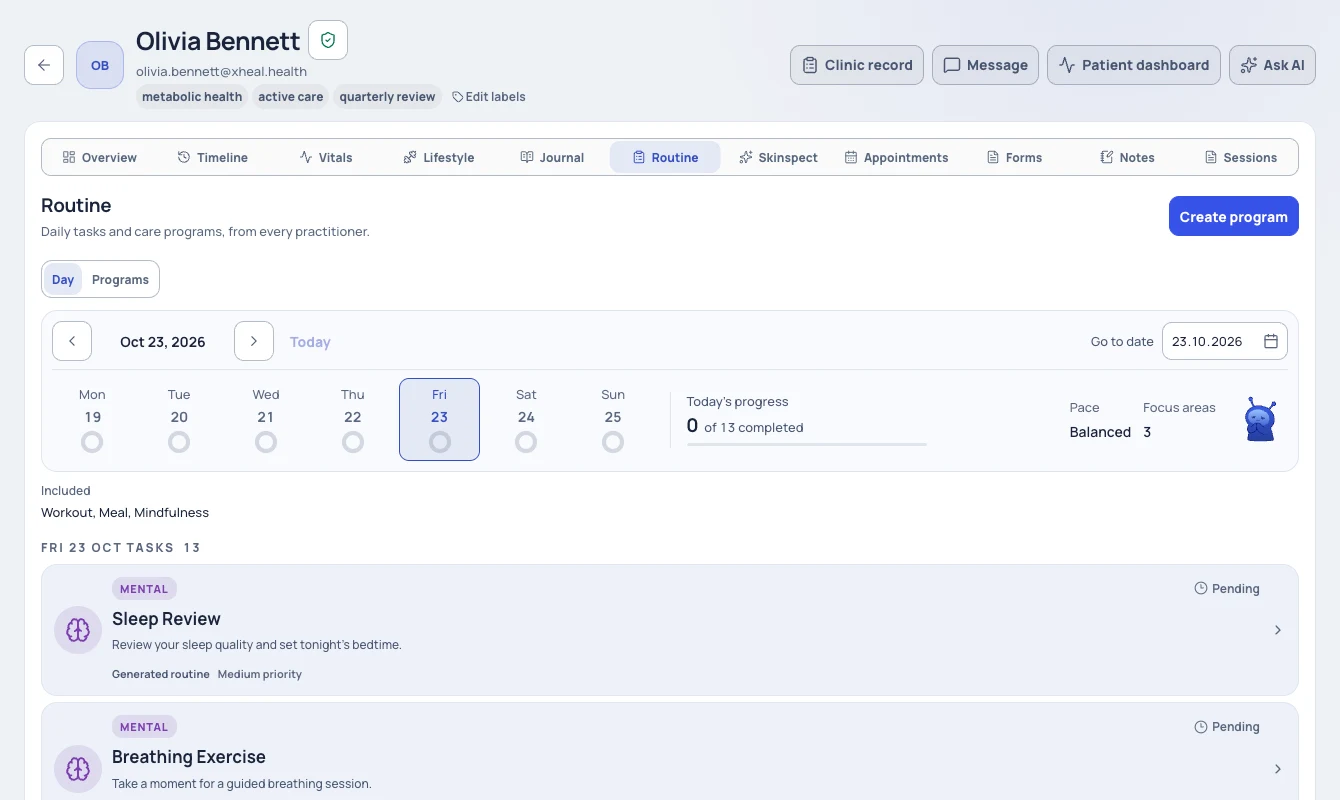
At a glance
Dated programmes.
Set start and end dates for a programme of supported tasks, and extend it when you want to continue.
Progress you can review.
At follow-up, see which tasks were completed, skipped or still pending.
Forms and messages.
Assign a form for structured answers, or open a conversation with the client when that suits better.
From a visit to the next one.
Follow-up works with the client's connection and sharing. Programmes, forms and messages reach clients who have connected xHeal, and what you can review depends on what they choose to share.
- 01
Plan a dated programme.
Open the client's Routine and review existing tasks and active programmes before adding another. Create a programme from the supported task types and schedule controls, then check the start and end dates and the instructions the client will receive before you save.
- 02
Ask for answers between visits.
Choose a form from Templates, preview its questions and assign it to the client. Review assignment and response status in the client's forms view. For a conversation instead, open the client's messages in Chats and check the recipient before you send.
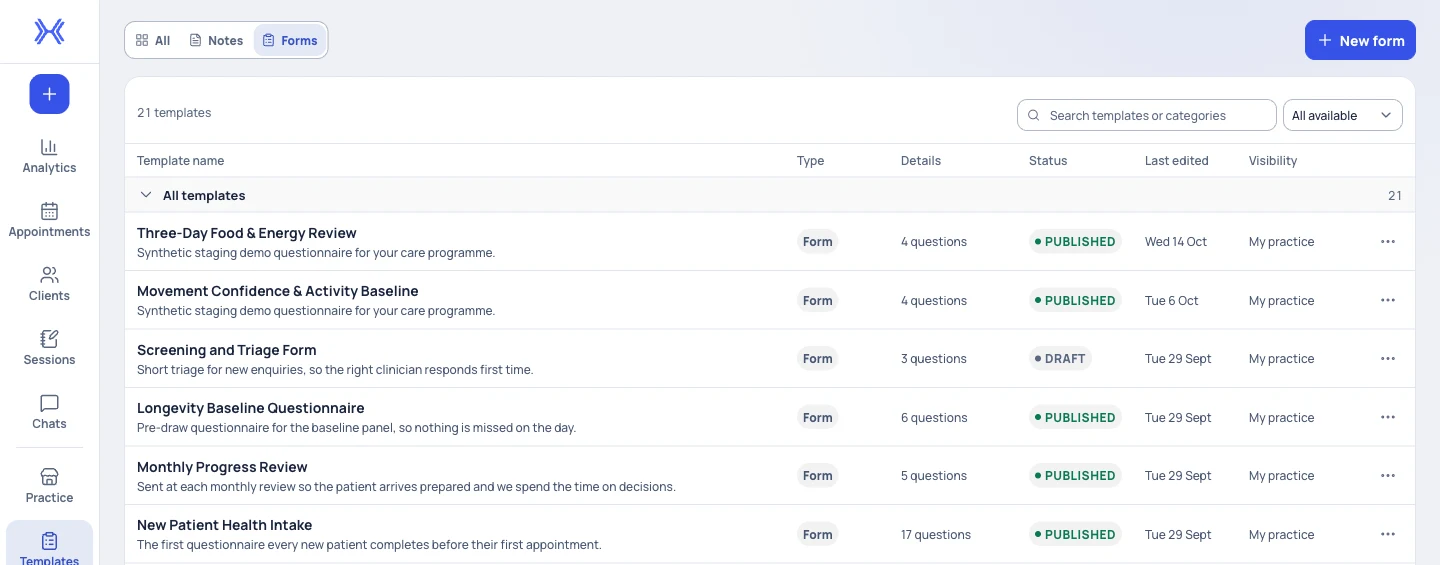
Forms in the Templates library, with published forms and drafts. Fictional demonstration data. - 03
Review progress at the next visit.
Review Completed, Skipped and Pending tasks, and extend a programme when you want to continue it, checking the new dates first. Where the client shares the relevant categories, compare their measurements across the same dates.
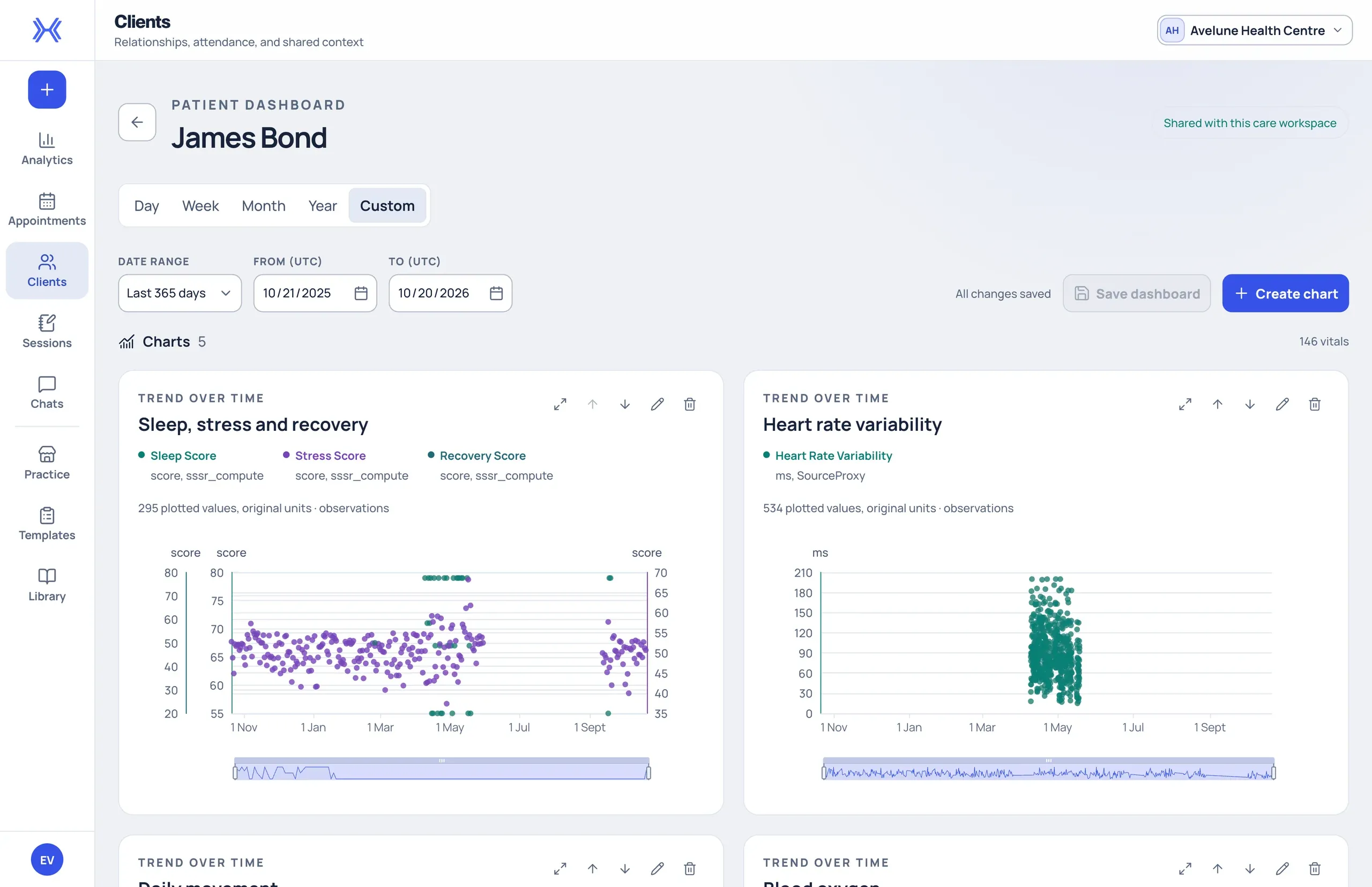
A client dashboard of shared measurements over time, shown with fictional demonstration data.
What your practice can add to the client's app.
Care plans and recommendations.
Send care plans, treatment instructions and referrals from your practice to the client's xHeal app.
Measurements and goals.
Add vitals, body measurements, and goals and intent to the client's health record.
Goals kept in view.
Keep each client's goals and priorities in view as you prepare for their next visit.
Monitoring rules and reference ranges.
Where available to your role, your practice can configure monitoring rules and reference ranges in Settings for the measures you agree to review. Availability can differ by release and role.
What to know before you rely on it.
Programmes, forms and messages depend on the client's connection to xHeal and the controls enabled for your practice. Linking an account does not on its own give access to their health information.
Task completion records activity in the app, not a clinical outcome.
A monitoring rule needs relevant shared data to evaluate. It is not continuous observation and does not guarantee a notification; agree within your team who reviews what, and when.
Provider Workspace sits alongside your clinical record system. xHeal does not diagnose, treat or make clinical decisions.
Questions
Before you book a demo.
Can I create a programme for a client without an xHeal account?
Programmes are for clients connected to xHeal with the relevant routine access. You can keep a clinic record, sessions and files for any client, and invite them to connect xHeal later.
What happens when a programme ends?
Review the completed, skipped and pending tasks at follow-up. If you want to continue, use the programme extension controls and check the new dates before confirming.
Will xHeal alert us if a client's measurements change?
Do not rely on it for that. Your practice can configure monitoring rules and reference ranges where available, but a rule depends on the client sharing relevant data and does not guarantee a notification. Agree your own review process within the team.
Is a form the same as a message?
No. A form collects structured answers you can review in the client's forms view; a message is a conversation in Chats. AI chats and client messages are separate conversations.
More of Provider Workspace
See it with your practice’s workflow.
Book a demo to walk through Provider Workspace and discuss how your team works today.
Book a Demo