Provider Workspace · Client-controlled sharing
Health information arrives by the client's choice.
Clients build their health picture in the xHeal app and choose what to share with your practice, and from which date. Your team sees only what they made available.
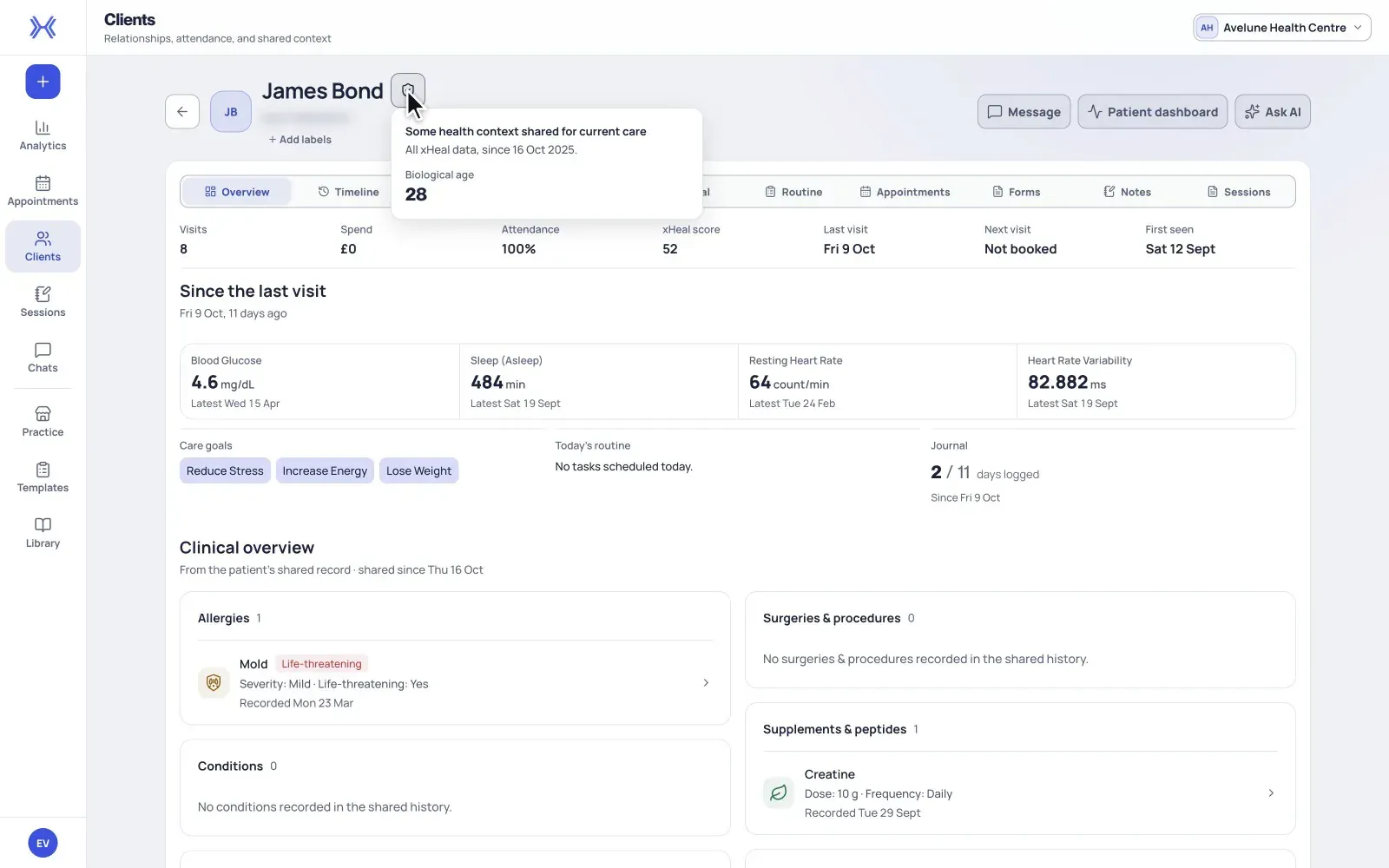
At a glance
Linking is not sharing.
Connecting a client's xHeal account to your clinic record does not by itself grant access to their health information.
Categories the client chooses.
Vitals and scores, lab results, health timeline, documents, journal and daily logs, routine and tasks. The client decides which ones.
From a date they set.
Sharing can start from a chosen date, so your team checks the earliest shared date before reading a trend.
From clinic record to shared context.
Your practice can keep a clinic record whether or not a client uses xHeal. Health information from xHeal is added only when the client chooses to share it.
- 01
Start with a clinic record.
Create a clinic-managed client without an xHeal account or an email address. Details, sessions and PDFs are kept by your practice, independently of health sharing.
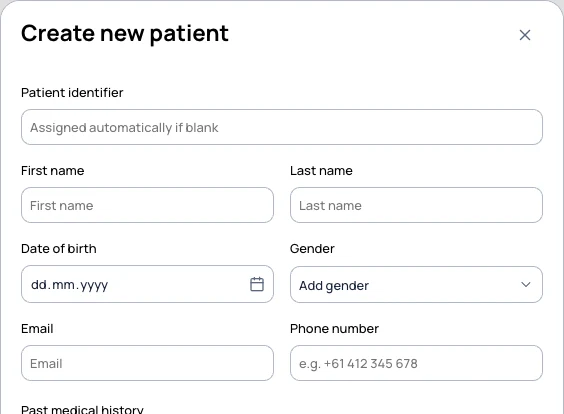
New patient in Clients. An identifier can be assigned automatically and an email address is not required. Demonstration workspace. - 02
Invite the client to connect.
When it is useful, invite the client by email or with a staff-assisted QR code or link. The record shows whether the account is Not linked, Pending, Linked or Disconnected.

The xHeal app menu on a clinic record, here showing Linked. That account state is separate from the client's health-sharing choices. Fictional client. - 03
The client chooses what to share.
When they book, clients choose what to share from xHeal and from which date. A service can request certain categories and a history window, but the client can choose a narrower set.
- 04
Your team reads the scope.
Sharing shows as Shared, Partial or Private. Partial can exclude categories, older records, or both. Check the categories and earliest shared date before reviewing the client's health information.
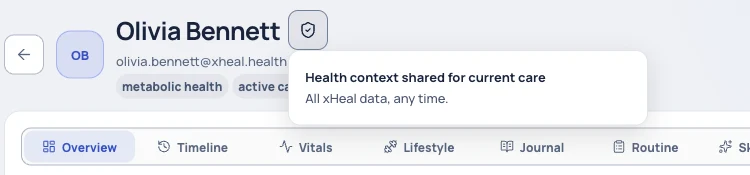
The shield beside the client's name shows the health-sharing scope. This fictional client shares all categories with no date limit; a client's own scope may be narrower.
What sharing covers, and what it does not.
Six categories.
Vitals and scores, lab results, health timeline, documents, journal and daily logs, and routine and tasks.
A sharing window.
A record from before the earliest shared date may not be visible. A blank period can mean nothing was recorded or that it falls outside the window.
Not shared is an access state.
If a section shows as not shared by the client, it does not mean the history is missing. Ask the client to review their sharing choices in xHeal if more context would help.
Appointments are handled separately.
Appointment details and permission to view health records are separate, so your practice can run services, appointments and documents whether or not a client shares.
Good to know.
Clinic membership and account linking do not override a client's sharing choices.
Stopping health sharing does not erase your practice's own clinic record, and does not recall a copy already exported or received.
A service's requested sharing is not the client's final consent; they can choose fewer categories or a later start date.
Provider Workspace sits alongside your clinical record system, not in place of it.
Questions
Before you book a demo.
What can my team see?
Your team can access health information when the client has granted access through xHeal. Appointment details and permission to view health records are handled separately.
Does connecting a client's account give us their health data?
No. Linking the account connects the clinic record to the client's xHeal account. Health sharing is shown separately, by category and date, and is the client's choice.
Do my clients need the xHeal app?
Clients use the app to build and share their health picture. Your practice can use services, appointments and documents whether or not a client shares health information.
What does Partial mean?
The client has shared some of their xHeal information. Partial access can exclude categories, older records, or both, so check the scope before interpreting a trend.
More of Provider Workspace
See it with your practice’s workflow.
Book a demo to walk through Provider Workspace and discuss how your team works today.
Book a Demo