Provider Workspace · xHeal AI
Ask about a client, then check the sources.
xHeal AI answers questions from the health context a client has shared and shows its sources. Use it to prepare, then return to the records it cites.
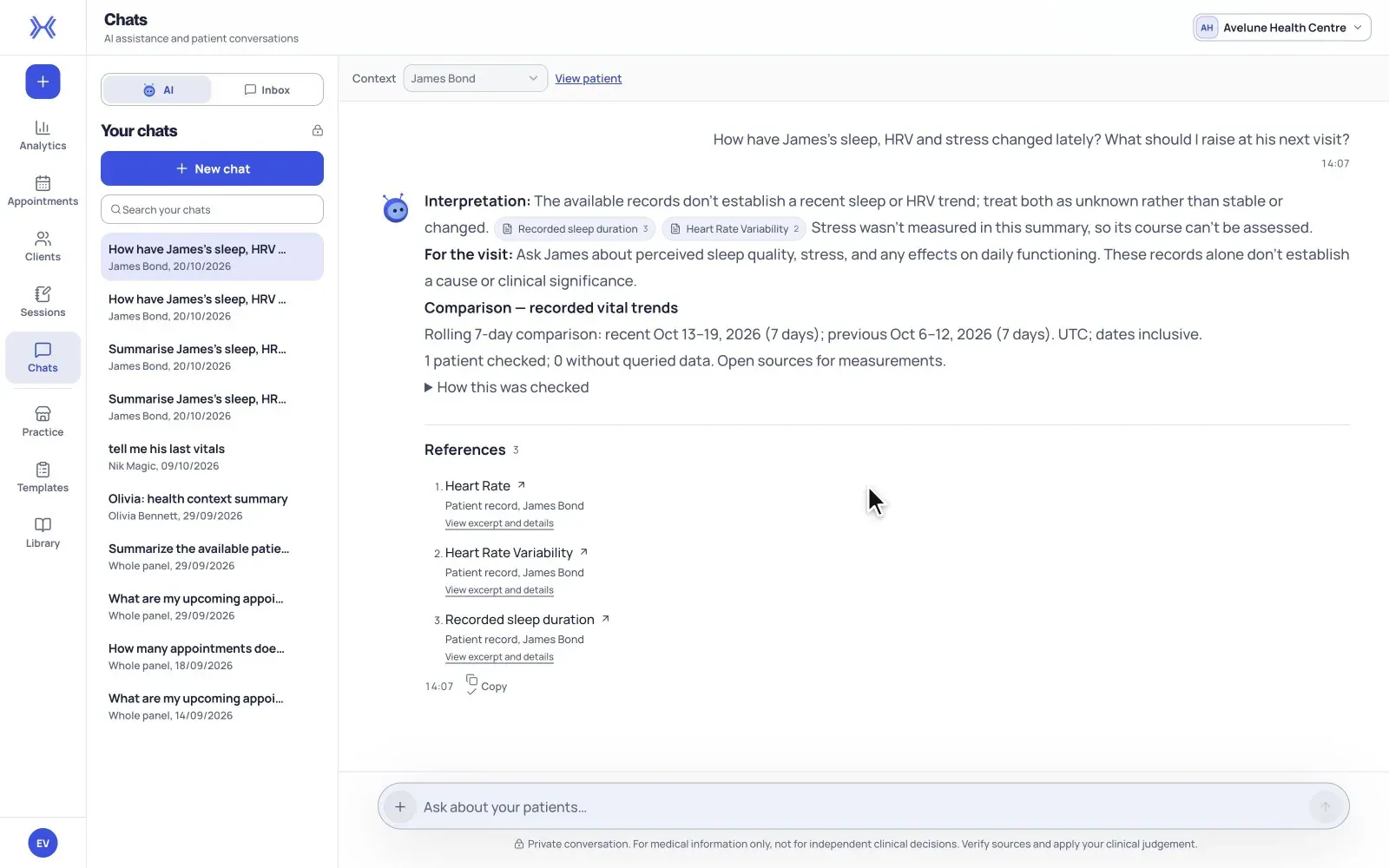
At a glance
One client or your whole panel.
Choose the context before you ask: an individual client, or your whole client panel.
Answers that show their sources.
Answers show the sources they cite, so you can compare dates, values and units before you act.
Your own reference documents.
Add practice reference documents to the Library and trace supported answers back to the cited passage.
From a question to the records behind it.
Treat an answer as a route into the available evidence. The records it cites, and your own judgement, are what you prepare from.
- 01
Choose the context and ask a focused question.
Open Chats and check the selected context before writing. Choose the client you mean, or keep the whole panel selected. Focused questions with a date or a measurement work best, such as which lab results are available from a particular month.
- 02
Read the answer and open its sources.
Open the records an answer cites and compare dates, values and units against them. If the answer lacks enough evidence, ask a narrower question or go back to the original record.
- 03
Build a library of practice references.
Upload reference documents your practice is entitled to use and wait for each one's processing status before expecting it in an answer. When an answer cites the Library, check the passage and document version before using it in your work.
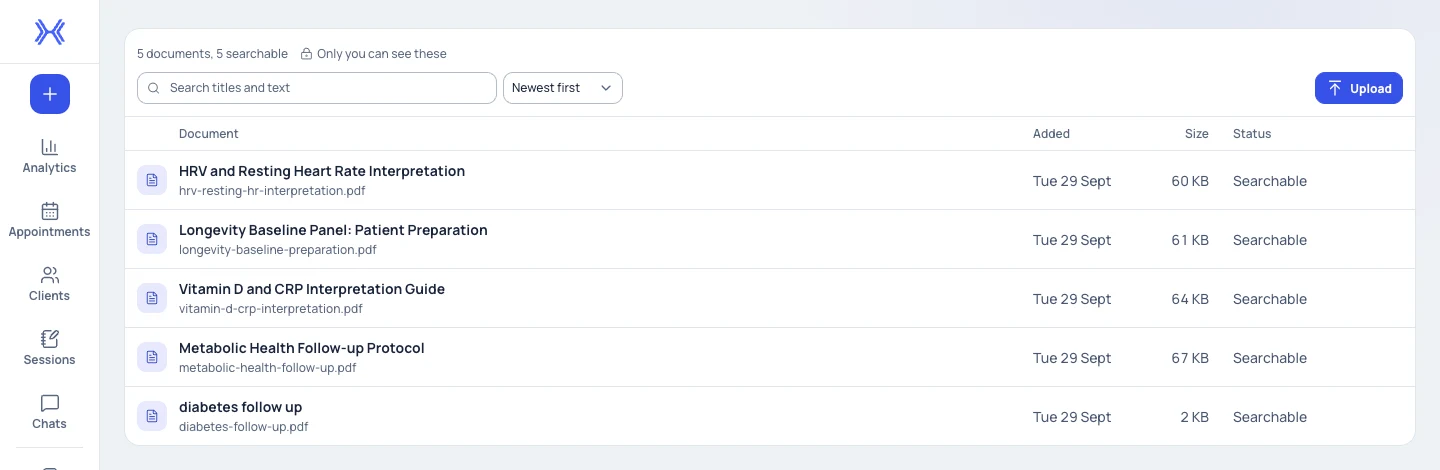
The Library shows each document's processing status and who can see it. Demonstration data.
What to expect from an answer.
Drawn from what is shared.
xHeal AI cannot retrieve health categories or dates a client has not shared. Check the client's sharing scope before asking about their health information.
Proposed tasks need your confirmation.
If an answer proposes a routine task, review the task details and the client it is for before using the explicit confirmation control.
Library visibility is shown on screen.
Check the visibility the Library displays rather than assuming every upload is shared across the practice.
Kept apart from client files.
Practice knowledge documents stay distinct from the files attached to a client's record.
What to know before you rely on it.
xHeal AI supports your preparation. It does not make clinical decisions; verify sources and apply your own judgement.
A confident answer is not proof that a source is complete or correct. Inspect the original record before drawing a conclusion.
Keep your clinical interpretation and consultation record separate from the generated answer.
A document that is still processing or has failed may not be available to an answer. Check its status and the original file.
Questions
Before you book a demo.
What information does xHeal AI use about a client?
It answers from the health context the client has chosen to share. It cannot retrieve categories or dates outside what they share.
Can I ask about more than one client?
Yes. Choose the whole client panel as the context, or select an individual client when your question is about one person.
How do I check an answer?
Open the sources an answer cites and compare dates, values and units. If an answer cites nothing or the evidence is thin, ask a narrower question or return to the source record.
Can it use our own reference documents?
Your practice can upload reference documents to the Library. Once a document has finished processing, answers can cite passages from it for you to check.
More of Provider Workspace
See it with your practice’s workflow.
Book a demo to walk through Provider Workspace and discuss how your team works today.
Book a Demo