Provider Workspace · Client records
See what happened since the last visit.
Each client's record brings your practice's own details, visits and files together with the history the client chooses to share, so you start each visit knowing where things stand.
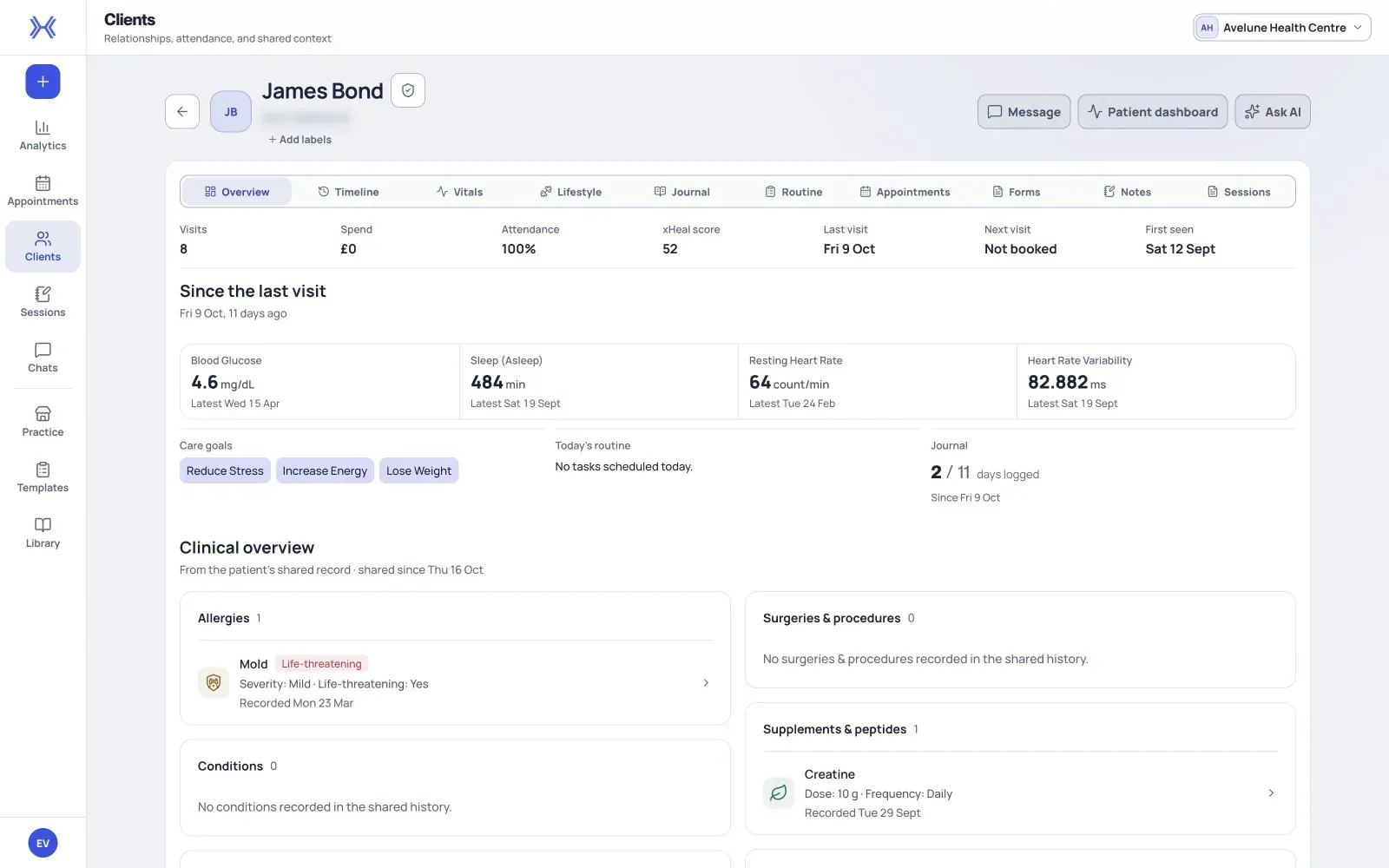
At a glance
A record for every client.
Create a clinic-managed record without an xHeal account or an email address, and keep details, sessions and files in one place.
Changes since the last visit.
Key measures since the last visit sit above the timeline, vitals, journal and routine they come from.
Goals kept in view.
Keep each client's goals and priorities in view as you prepare for their visit.
From a new client to a prepared visit.
Start with the record your practice keeps. When a client connects xHeal and chooses to share, their health history appears alongside it, with the dates it covers.
- 01
Create the clinic record.
Choose New patient in Clients and enter the details you have. An identifier can be assigned automatically, and neither an email address nor an xHeal account is required. Record medical history, medications, allergies and notes, and attach readable PDFs of 10 MB or smaller.
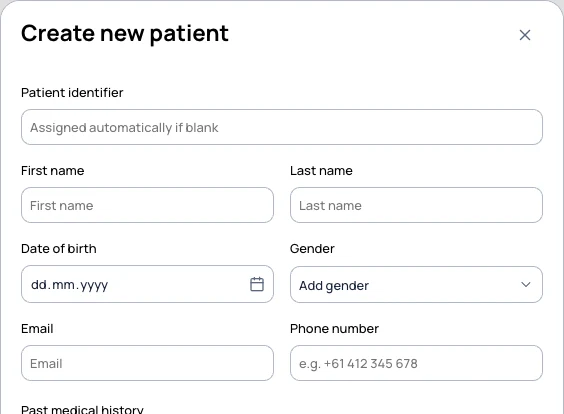
The new client form, shown with demonstration data. An email address is not required. - 02
Read what changed since you last met.
Open the client from Clients or from their appointment and check it is the right person. The record shows visits, key measures since the last visit, care goals and the clinical overview the client has shared.
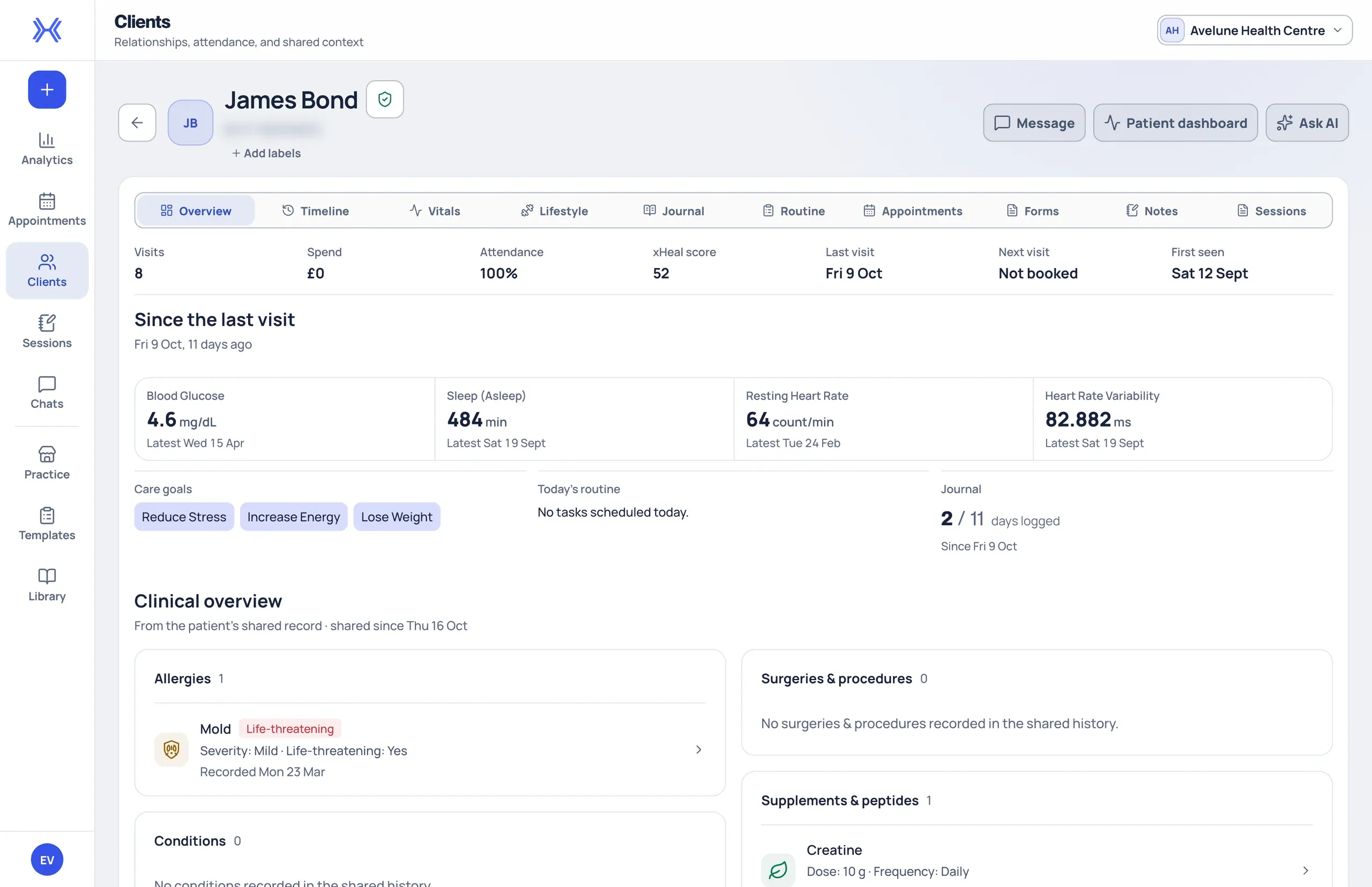
A client record in Provider Workspace, shown with fictional demonstration data. - 03
Check the detail behind a summary.
Open the labs, vitals, timeline items or documents you want to discuss. Compare dates, units, reference ranges and original sources rather than relying on a summary, and use the journal and routine for context around the same dates.
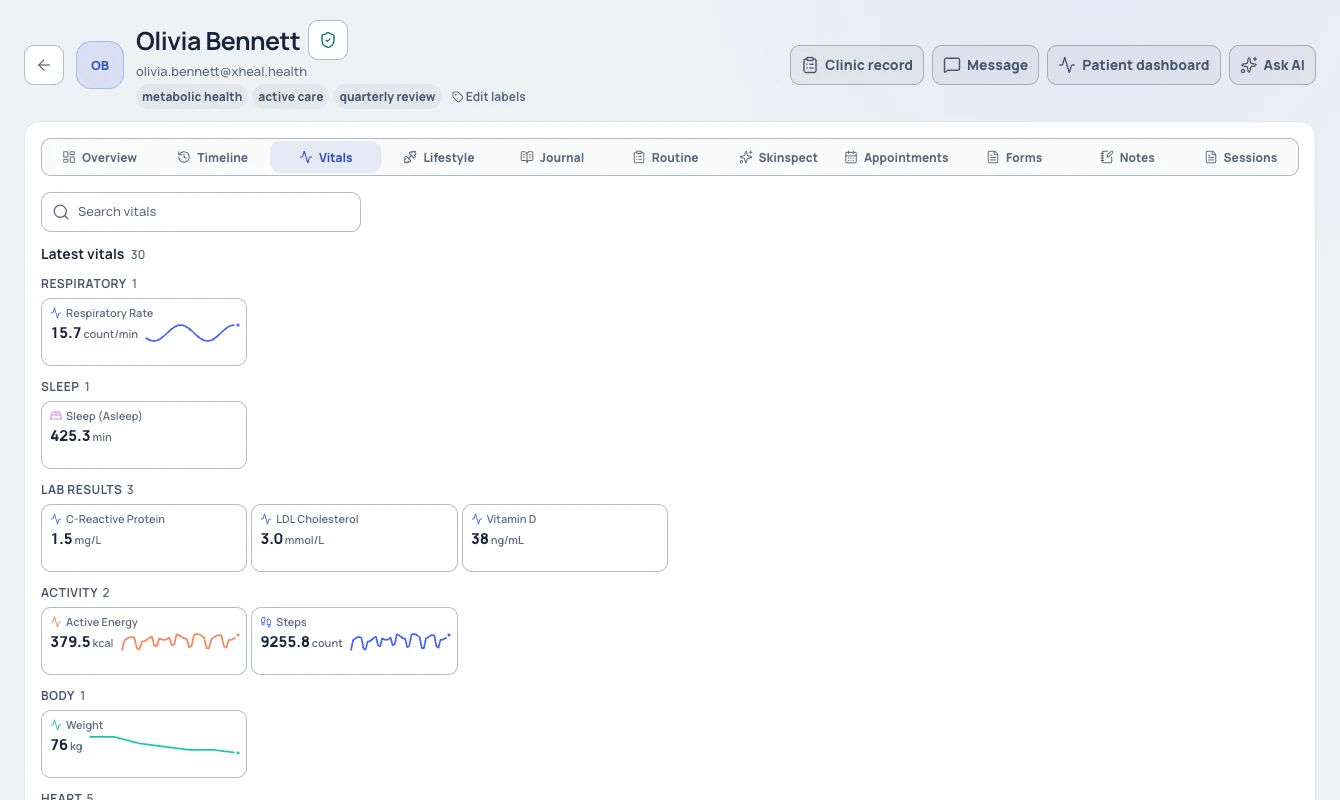
Vitals groups the available measurements and lab results. Fictional demonstration data.
What the clinic records, and what the client shares.
Kept by your practice.
Details, medical history, medications, allergies, notes, sessions and PDF files are maintained by your practice in the clinic record.
Shared by the client.
Vitals and scores, lab results, the health timeline, documents, journal and daily logs, and routine and tasks, when the client includes them.
Dated by the client.
A client can share from a chosen date. Check the earliest shared date before reading a trend or looking for an older document.
Connected later.
You can invite a client to connect xHeal at any time. Linking an account does not on its own give access to their health information.
What to know before you rely on it.
Clients choose which health categories they share and from which date. A blank period may mean nothing was recorded or that it falls outside what the client shares.
Revoking health sharing does not erase the clinic's own record. Your practice's details, sessions and files stay in the clinic record.
Extracted results can contain errors. Compare values and units with the original document before you interpret them.
Provider Workspace sits alongside your clinical record system, not in place of it. xHeal does not diagnose, treat or make clinical decisions.
Questions
Before you book a demo.
Does a client need an xHeal account to have a record?
No. Your practice can create a clinic-managed record without an xHeal account or an email address, and keep details, sessions and files there. You can invite the client to connect xHeal later.
What can my team see?
Your team can access health information when the client has granted access through xHeal. Appointment details and permission to view health records are handled separately.
Why is some of a client's history missing?
Clients can share some categories and not others, or share only from a chosen date. Check the sharing summary, date coverage and your role before assuming information has been deleted.
How does this fit with our current software?
Use Provider Workspace for services, bookings, documents and shared health information alongside your clinical record system. We'll discuss your current tools and setup needs during the demo.
More of Provider Workspace
See it with your practice’s workflow.
Book a demo to walk through Provider Workspace and discuss how your team works today.
Book a Demo